Why Google Keeps Suspending Your Profile and How We Fixed the Loop
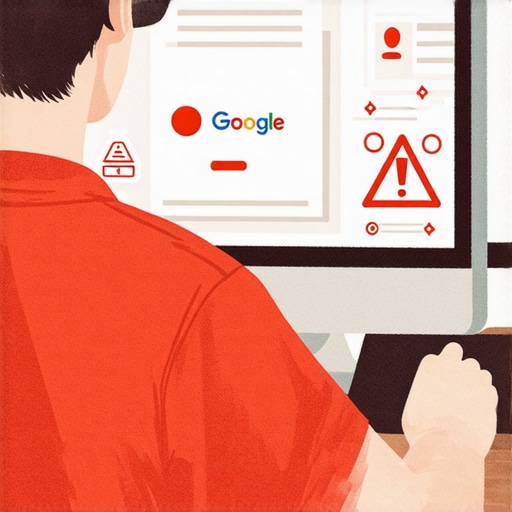
It is the phone call every business owner and agency dreads. You’ve spent months, perhaps years, building your local presence. You’ve gathered hundreds of five-star reviews, optimized your photos, and finally secured a spot in the coveted Local Three-Pack. Then, you log in to find the dreaded red banner: “Your Business Profile has been suspended due to suspicious activity.”
But in 2026, a new, more sinister phenomenon has emerged: the “Suspension Loop.” You submit your appeal, provide your documentation, and get a “Reinstated” email. You celebrate for exactly twelve hours before the profile is slapped with a “Review service restrictions” error and suspended again. It is a cycle of digital purgatory that is driving small business owners to the brink of collapse.
As a Google Business Profile (GBP) Product Expert and Local SEO Consultant, I have seen this “loop” escalate from a rare glitch to a full-blown epidemic. The rules of google business profile seo have changed. The old tricks no longer work, and the automated systems Google uses to police the map are more aggressive than ever. In this deep dive, I’m going to explain exactly why this is happening and provide the definitive roadmap we use to break the loop and restore your rankings.
Before we dive into the technical “why,” if you are looking for broader context on the current landscape, I recommend reading my previous guide, Mastering Maps SEO Support: Boost Your Local Visibility in 2025.
Section 1: The 2026 Local SEO Crackdown
To understand why your profile is stuck in a loop, we have to look at the March 2026 Core Update. This wasn’t just another minor adjustment to the search algorithm; it was a fundamental shift in how Google validates local entities. For years, Google’s AI struggled to differentiate between a legitimate local plumber and a “lead-gen” spammer operating out of a basement 2,000 miles away. In 2026, Google decided to stop playing defense and went on a massive offensive.
The current crackdown is focused on one thing: Entity Trust. Google is no longer just looking at whether your business exists; it is evaluating whether it can *trust* that your business exists at the location you claim. This has led to an intensified enforcement against anything that looks like “suspicious activity.” Unfortunately, the AI’s net is cast so wide that legitimate U.S. small businesses are being caught in the crossfire.
The shift has moved from traditional local seo ranking factors like keyword density to “real-world signals.” Google is now cross-referencing your GBP data against secretary of state filings, utility bills, and even street-view imagery in real-time. If there is even a 1% discrepancy, the system triggers a suspension. The “loop” happens because the AI flag remains on the account even after a human (or a different AI) approves the reinstatement, causing the system to auto-suspend you the moment the profile goes live again.
Section 2: Triggers of the “Suspicious Activity” Flag
If you want to fix google business profile suspension issues, you first have to identify the “poison” in your data. In 2026, the triggers have become incredibly specific. Here are the primary reasons we are seeing profiles get flagged:
1. The Keyword Stuffing Death Sentence
For a decade, adding a city or a service to your business name (e.g., “Mike’s Plumbing – Best Plumber in Dallas”) was a “gray hat” way to boost rankings. As of 2026, this is the fastest way to get a permanent suspension. Google’s AI now compares your GBP name to your legal business name on your tax returns and signage. If they don’t match exactly, you are a target.
2. Mismatched NAP (Name, Address, Phone)
Consistency is more than just a best practice; it’s a requirement for survival. If your website says “Suite 200” but your GBP says “Ste 200,” or if you have an old phone number lurking on an abandoned Yelp page, the 2026 algorithm views this as a lack of entity trust. I’ve discussed this in detail in my article on Why Mismatched Contact Info is Making You Invisible on Google Maps.
3. Virtual Offices and Co-working Spaces
Google has effectively blacklisted thousands of Regus and WeWork addresses. If you are using a virtual office to “expand” your reach into a new city without a physical presence, your profile is a ticking time bomb. The March 2026 update specifically targeted these “ghost locations.”
4. High-Frequency Edits
If you are constantly changing your service areas, descriptions, or hours, you are triggering the “suspicious activity” filter. To Google, a stable business doesn’t change its name or primary category every three weeks. Before making changes, you should always use an SEO Viper Tools audit to ensure your data is clean and won’t trigger a bot-led crackdown.
Section 3: Anatomy of the “Suspension Loop”
The “Suspension Loop” is a technical nightmare where a profile is caught between two different Google systems: the Appeals Tool and the Enforcement Bot. You might see a “Review service restrictions” error in your dashboard. This usually means that while your *content* is fine, your *account* has been flagged as high-risk.
According to recent data from the Local Search Forum and various Reddit support threads, users are reporting that their profiles are being suspended immediately upon opening or within 24 hours of a successful reinstatement. This happens because the “Suspicious Activity” flag is often attached to the user’s Gmail account or the IP address used to manage the profile, not just the listing itself.
When you submit an appeal, a human reviewer might look at your business license and say, “Yes, this is a real business,” and click reinstate. However, the moment the profile is live, the automated Enforcement Bot runs its daily scan, sees the same “suspicious” markers (like a flagged manager account), and overrides the human decision. This creates the infinite loop. If you find yourself in this situation, you need to stop appealing blindly and start a systematic cleanup. For more on this, see our guide on Fixing the 2026 ‘Under Review’ Loop: 4 GMB Support Shortcuts.
Section 4: The Step-by-Step Reinstatement Roadmap
To recover suspended google business profile listings in the current climate, you must be surgical. Do not simply click “Appeal.” Follow this roadmap:
Step 1: The Clean Audit
Before you talk to Google, you must fix the problem. Remove every single keyword from your business name that isn’t on your legal documents. Check your primary category – is it the most accurate one? Ensure your address is formatted exactly as it appears on your utility bills. I highly recommend using a [google business profile audit tool] to find hidden discrepancies you might have missed.
Step 2: Evidence Gathering (The “Gold Standard” Bundle)
Google no longer accepts “just a photo of the building.” You need a PDF bundle containing:
- A business license or Secretary of State filing.
- A utility bill (Electric or Water is best) with the business name and address.
- A lease agreement or proof of deed.
- Photos of your permanent signage (not a banner or a sticker on a door).
Step 3: The Video Verification Hack
In 2026, video verification is the primary way Google clears the “Review service restrictions” error. To avoid a rejection, your video must be one continuous shot. Start outside, show the street sign, show the surrounding businesses, walk up to your door, unlock it with your key, and then show the “tools of the trade” – your computers, your trucks, or your inventory. Google wants to see that you actually *operate* there.
Step 4: The Formal Appeal
When you use the Appeals Tool, do not be emotional. Be clinical. “Our business, [Name], was suspended for suspicious activity. We have audited our profile to ensure 100% compliance with guidelines. Attached is our Secretary of State filing and a utility bill matching our GBP address.” If you are an agency, ensure you are using [local seo software] to track the status of these appeals across your portfolio.
Section 5: Agency Account Risks & Bulk Management
For marketing agencies, the 2026 crackdown has been catastrophic. We are seeing “contagion” suspensions, where one spammy or poorly managed client profile triggers a suspension of the entire Agency Registered Account. If you manage 50 locations and one gets flagged for “Deceptive Content,” Google’s AI may preemptively suspend the other 49 to “protect the ecosystem.”
To prevent this, you must isolate client profiles. Avoid using a single “master” login for every client. Instead, use the “Invite Manager” feature and ensure each client has their own owner-level access. If you are stuck in a loop across multiple locations, you likely have a “toxic” manager account that needs to be removed from all profiles before reinstatement can occur. For more on managing this risk, read Managing Local SEO for Multiple Locations Without Tanking Your Map Rankings.
Section 6: From Reinstated to Ranking: The 2026 Strategy
Getting your profile back is only half the battle. A profile that has been suspended and reinstated is “fragile” in Google’s eyes. Its rankings will likely have plummeted, and the AI will be watching it closely for the next 90 days. You cannot go back to aggressive google business profile optimization immediately.
Instead, focus on high-quality, “trust-building” signals. This is where a professional [google maps ranking service] becomes invaluable. You need to rebuild your local authority through:
- Niche Citations: Get listed on hyper-local directories and industry-specific sites.
- Review Velocity: Gently encourage your happiest customers to leave detailed, photo-rich reviews.
- Local Signals: Ensure your website’s local landing pages are perfectly synced with your GBP data.
The goal is to rank google business profile listings by proving to Google that you are the most relevant and trusted answer to a user’s query. By using the right [rank higher on google maps] strategies, you can recover your lost traffic and actually come out stronger than before the suspension.
Conclusion
The Google Business Profile suspension loop of 2026 is a byproduct of an AI-driven system that values trust above all else. If you are stuck in the “Review service restrictions” cycle, it is a sign that there is a fundamental mismatch in your business’s digital entity. By auditing your data, gathering iron-clad evidence, and following the proper reinstatement roadmap, you can break the loop.
Don’t let a technical glitch destroy your livelihood. If you’re struggling to get your listing back or want to ensure your profile is “suspension-proof,” it’s time for a professional audit. Whether you need a gmb ranking service or a deep technical recovery, we are here to help. Contact Kevin Pauls today to secure your spot on the map.